How to Troubleshoot EV Charging Issues Quickly

Time:2026-09-22 Author:Charlotte
0%

Electric vehicle charging problems can turn a routine journey into a frustrating wait beside a silent charger. The screen may show an error, the cable may remain locked, or the battery percentage may barely change. Understanding how to troubleshoot EV charging issues helps drivers respond calmly and avoid unnecessary repairs.

This guide follows practical checks used by EV owners, service technicians, and charging support teams. It begins with simple details, such as confirming the vehicle is in Park, checking the connector, and reading the charger’s exact message. A loose plug, damaged cable, poor network signal, or scheduled charging setting can create similar symptoms. Small clues matter. Even a blinking dashboard icon can narrow the search.

Safety remains essential. Do not use a cable with exposed wires, burning smells, melted plastic, or water damage. Stop charging and contact the vehicle manufacturer, charging operator, or a qualified technician when these signs appear. Reliable troubleshooting should follow the vehicle manual and the charger provider’s instructions, not random online guesses. That advice sounds obvious, yet rushed drivers often skip it. Not every symptom has a neat answer. A reset may solve one session but hide a deeper electrical fault. Careful notes can help: record the charger location, error code, charging time, and battery level. With those details, support staff can diagnose the problem faster and recommend a safer, more accurate solution.
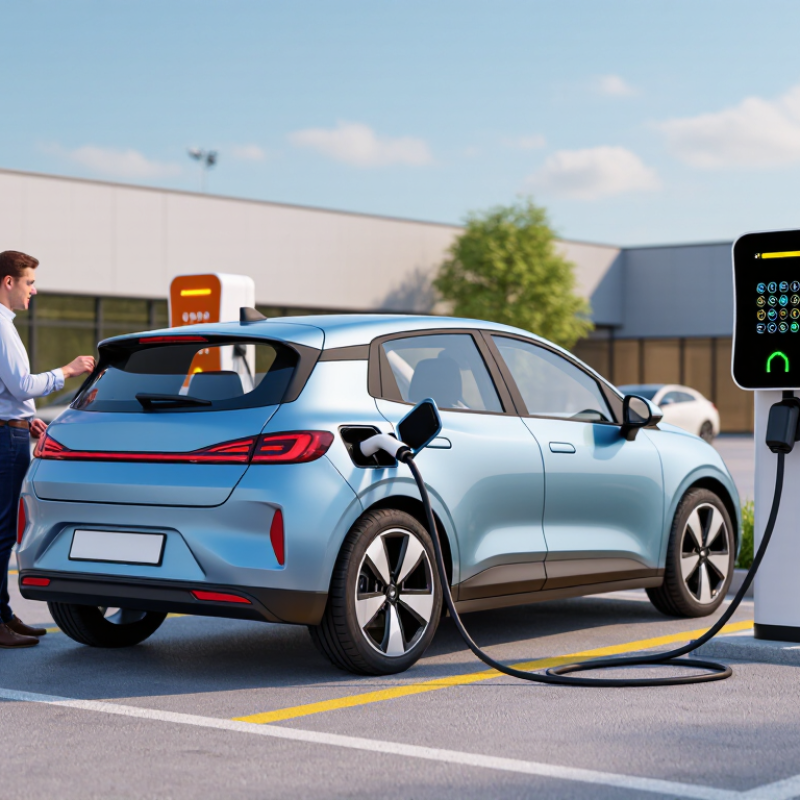
How to Troubleshoot EV Charging Issues Quickly

Identify the EV Charging Problem and Its Symptoms

How to Troubleshoot EV Charging Issues Quickly

Identify the EV Charging Problem and Its Symptoms

When charging fails, identify the symptom before touching the cable. A blank display may indicate no power at the station. A red fault light often points to a connection or safety check failure. If charging starts, then stops, note the exact timing. The vehicle may limit current because of heat, battery temperature, or a detected ground fault. Listen for clicks, but do not force the connector.

Check simple conditions in a safe order. Confirm the vehicle is in Park and the connector is fully seated. Inspect the plug for moisture, dirt, bent pins, or visible damage. Never use a damaged cable. Check whether the circuit breaker has tripped, especially after rain or electrical work. A slow session is not always a fault. Scheduled charging, a low current setting, or a nearly full battery can look similar. I have seen drivers replace parts when a delayed schedule caused the issue.

Record useful evidence. Note the error message, time, outdoor temperature, battery percentage, and whether another cable works. If the unit repeatedly stops, smells hot, makes unusual sounds, or shows exposed wiring, stop using it. Contact a qualified electrician or the charging operator. Do not open the enclosure. A single reset may help, but repeated resets can hide a deeper problem. I once assumed every interruption came from the charger; testing another vehicle proved that assumption wrong.

Check the Vehicle, Charger, Cable, and Power Supply

When an EV refuses to charge, avoid guessing at the start. Check the vehicle’s display for a charging limit, delayed schedule, or warning message. Confirm the battery is not already full. Then switch the vehicle off, lock it, and wait briefly before reconnecting. A simple restart sometimes clears a temporary communication fault.

My first guess has been wrong before.

Inspect the charger and cable in good light. Look for cracked plastic, bent contacts, moisture, or unusual heat near the plugs. Do not use damaged equipment. Push each connector firmly into place until it clicks, but never force it.

Check the charger’s screen for an error code and record the time. That detail helps a qualified technician identify patterns. Keep the cable straight, not tightly coiled during use.

The power supply deserves equal attention. Check whether the outlet or circuit has tripped, especially after other heavy appliances started running. Test the outlet only with safe, approved methods, and stop if you notice burning smells, buzzing, sparks, or a hot wall plate.

A portable charger may need a dedicated circuit with suitable capacity. An extension cable can create extra resistance and heat, so avoid using one unless the equipment instructions specifically permit it.

If charging remains unstable, contact a licensed electrician or qualified service professional.

I would rather lose an hour than overlook a dangerous connection.

Verify Charging Settings, Access, and Payment Requirements

When an electric vehicle will not start charging, check the charging settings before touching the cable. Confirm that scheduled charging is disabled or set for the current time. Some vehicles also require a minimum battery level or a selected charging mode. A loose connector can look like a software problem. Remove it, inspect the contacts for dirt or moisture, then reconnect it firmly.

Access settings deserve equal attention. Public chargers may require an account, a digital pass, or a valid authorization method. Confirm that your vehicle or charging account is allowed to use that location. Check the charger’s screen for messages such as “session not authorized” or “connector unavailable.” If access depends on a mobile connection, move to an area with better reception. Small delays matter.

Payment failures are common and easy to overlook. Check the stored card, billing address, spending limit, and expiration date. Some charging sessions place a temporary authorization hold before energy flows. Your bank may decline it even when the account is funded. I once blamed the charging cable for a failed session, but the real problem was an expired payment method. That mistake changed my routine. I now verify payment details before driving to a charger.

If settings, access, and payment all appear correct, try another connector or station. Record the time, error message, and battery level. Clear notes help support staff identify patterns. Yet remote diagnostics are not perfect. A second check is worthwhile.

Test Common Fixes and Restart the Charging Session

How to Troubleshoot EV Charging Issues Quickly

When an EV refuses to charge, check simple causes before assuming a hardware fault. Look at the dashboard, connector, and charging indicator. Is the connector fully seated? Try unplugging it, waiting 30 seconds, and reconnecting it firmly. Inspect the cable for moisture, dirt, or visible damage. Do not use a damaged cable. Keep the area dry.

Test the power source by checking the circuit protection and nearby electrical equipment. If the protection has tripped, reset it once, then watch for another interruption. Repeated trips need professional inspection, not repeated resets. Some sessions fail after a brief communication error. End the session through the vehicle controls, lock the vehicle, and wait until the indicator turns off. Then start a fresh session. That small pause matters.

Record the time, warning message, temperature, and whether charging stopped immediately or later. This information helps a qualified technician identify patterns. From practical troubleshooting, I have learned that rushing this step creates confusion. Still, a restart is not a cure for every fault. Stop if you notice heat, burning smells, sparks, or repeated shutdowns. Contact a qualified service professional and follow the vehicle and equipment instructions. I sometimes overlook the indicator light when I am in a hurry. That mistake is avoidable.

How to Troubleshoot EV Charging Issues Quickly - Test Common Fixes and Restart the Charging Session

Observed Issue Likely Cause Quick Test Expected Result Recommended Fix Restart the Charging Session Safety or Escalation Point
The vehicle does not begin charging The connector is not fully seated, or the vehicle is locked in a delayed charging schedule. Remove and firmly reconnect the plug. Check the vehicle's charging schedule and charge-limit settings. The vehicle detects the connector and displays an active charging status within a short time. Fully insert the connector and disable scheduled charging temporarily for testing. Stop the session, unlock the vehicle, disconnect the cable, wait 30 seconds, reconnect it, and start a new session. Do not force the connector. Stop if the plug, socket, or cable is damaged.
Charging stops shortly after starting A temporary communication fault, unstable power supply, or protective shutdown. Check the charger display for an error message and try another approved charging point if available. A different charging point completes the handshake and continues supplying power. Restart the session and verify that the cable is not under tension or exposed to water. End the session normally, wait at least 60 seconds, then reconnect and authorize a fresh session. If the same fault occurs at multiple locations, arrange a vehicle or charging-equipment inspection.
Charging speed is much lower than expected The battery is cold or nearly full, the vehicle has reduced power, or the site is sharing available capacity. Compare the battery state of charge, battery temperature conditions, and the power shown on the charger. Charging power may increase after the battery warms or may gradually reduce as the battery approaches a high state of charge. Use battery preconditioning when supported, avoid expecting maximum power near full charge, and try an uncrowded charger. Pause charging for 30–60 seconds and restart only after confirming that no power limit or warning is active. Reduced power can be normal. Investigate persistent low power with a known-compatible charger.
The connector cannot be removed The vehicle or charger is still locking the connector because the session has not ended. Stop the session using the vehicle controls or charger controls, then unlock the vehicle. The locking pin releases and the connector can be removed without force. End the session correctly and wait several seconds before pressing the connector release. Do not pull the cable. If supported, lock and unlock the vehicle once, then retry the release. Never use tools or excessive force. Contact roadside assistance if the connector remains locked.
Payment or authorization fails The payment method is unavailable, authorization has timed out, or the network connection is interrupted. Retry authorization and check whether the payment method is active and able to approve the transaction. The charger confirms authorization and changes to a ready or charging state. Use an approved alternative payment method or restart the authorization process. Cancel the failed attempt, wait 30 seconds, reconnect the cable, and authorize a new session. Avoid repeated attempts if multiple temporary charges appear; verify the transaction history first.
A red warning or isolation fault appears Moisture, cable damage, connector contamination, or an electrical protection event. Stop charging and visually inspect the connector and cable for moisture, cracks, bent pins, or overheating. The warning clears only when the underlying electrical or environmental condition is resolved. Move to a dry, safe location and use a different undamaged cable or charging point if appropriate. Do not repeatedly restart. Isolate the equipment and report the fault for inspection. Do not touch exposed conductors or use damaged equipment. Escalate immediately if there is smoke, heat, or a burning smell.
The home charging unit has no power A tripped circuit breaker, residual-current protection device, or local power outage. Check the household electrical panel and confirm whether other electrical devices are working. The charging unit restarts and shows its normal ready status after power is restored. Reset the protective device only once if there is no visible damage or abnormal smell. Wait 2–5 minutes after power restoration, then reconnect the vehicle and begin a new session. If the breaker trips again, leave it off and contact a qualified electrician.
The vehicle reports a charging-system fault A vehicle-side sensor, onboard charger, thermal system, or communication component may have detected a fault. Turn the vehicle off, wait several minutes, and check whether the warning remains after a normal restart. A temporary message may clear after the vehicle completes its restart sequence. Record the exact warning, test one known-compatible charging point, and follow the vehicle manual. End charging, disconnect safely, switch the vehicle off completely, wait 5 minutes, and retry once. If the warning persists, stop charging and request qualified service rather than continuing to test.
Fast troubleshooting order: Check the connector, confirm the vehicle is unlocked and not scheduled to charge later, inspect for visible damage or moisture, stop the session, wait 30–60 seconds, and restart once. If the fault repeats, use a different compatible charging point or request professional assistance.

Escalate Persistent Faults to Support or a Qualified Technician

When an EV charger refuses to start, check the cable, vehicle connection, power supply, and visible warning lights. Record the exact message and the time it appeared. A loose plug may be simple, but repeated faults need more care.

Stop there. Do not repeatedly reset the unit if it becomes hot, smells unusual, or shows physical damage.

I once assumed a failed session came from the vehicle. My first assumption was wrong. The charger’s protective device had detected an irregular condition. After safely ending the session, I photographed the display and noted the outlet condition. This evidence helped support staff identify a pattern without guessing.

Avoid removing covers or touching internal wiring. Only a qualified technician should inspect energized components or hidden electrical faults.

Escalate the issue when the same error returns, charging stops across different vehicles, or basic checks produce no improvement. Contact the support team through the approved service channel and provide the charger location, error code, session time, and steps already taken.

Mention unusual noise, heat, moisture, or a tripped protective device. Be precise. If the support team cannot resolve the problem remotely, request a qualified technician.

Keep the equipment unavailable until it is assessed, especially when safety indicators remain active. Remote advice can be useful, but it cannot replace an on-site inspection when the fault persists.

FAQS

What should I check when an electric vehicle refuses to charge?

Check the vehicle display for charging limits, delayed schedules, or warning messages. Confirm the battery is not already full. Turn the vehicle off, lock it, and wait briefly. Then reconnect the cable. A restart may clear a temporary communication fault.

How can I inspect the charger and cable safely?

Use good lighting. Look for cracked plastic, bent contacts, moisture, or unusual heat near the plugs. Do not use damaged equipment. Push the connector in until it clicks. Never force it. Keep the cable straight during charging.

What should I do if the charger shows an error code?

Record the exact message and the time. Note the battery level and connector used. These details can help a qualified technician find patterns. Remote information is useful, but not always complete. A second check may still be needed.

How can I check the electrical outlet or circuit?

See whether the outlet or circuit has tripped. This can happen after other heavy appliances start running. Use only safe, approved testing methods. Stop immediately if you smell burning, hear buzzing, see sparks, or feel a hot wall plate. Safety matters more than speed.

Are extension cables suitable for vehicle charging?

Avoid extension cables unless the equipment instructions specifically allow them. Extra resistance can create heat and unstable charging. A portable charger may require a dedicated circuit with suitable capacity. Ask a licensed electrician when the connection seems uncertain.

What charging settings should I verify?

Confirm scheduled charging is disabled or set for the current time. Check any minimum battery level or selected charging mode. Remove the connector and inspect the contacts for dirt or moisture. Reconnect it firmly afterward. My first guess has been wrong before.

Why might a public charging session be unavailable?

The location may require an account, digital pass, or valid authorization method. Check whether your vehicle or charging account is permitted there. Read messages such as “session not authorized” or “connector unavailable.” Better mobile reception may help when access depends on a network connection.

What payment details can prevent charging?

Check the stored card, billing address, spending limit, and expiration date. Some sessions place a temporary authorization hold before energy flows. A bank may decline the hold even when funds are available. I once blamed the cable, but an expired payment method caused the failure.

What should I try after basic checks fail?

Try another connector or charging station if possible. Record the time, error message, and battery level. If charging remains unstable, contact qualified service support or a licensed electrician. I would rather lose an hour than overlook a dangerous connection.

Conclusion

How to troubleshoot EV charging issues begins with identifying the exact symptom. Determine whether the vehicle is not starting a charge, charging slowly, stopping unexpectedly, or showing a warning message. Then inspect the vehicle’s charging port, the charger, the cable, and the power supply for visible damage, loose connections, overheating, or tripped protection switches. Confirm that the cable is fully connected and that the power source can support the vehicle’s charging requirements.

Next, review charging settings, schedules, battery limits, authorization steps, and payment requirements. If everything appears correct, safely disconnect and reconnect the equipment, restart the charging session, and try another compatible outlet or charging point when available. Avoid forcing connectors or using damaged equipment. If the problem continues, record error messages and session details, then contact the charging provider’s support team or a qualified technician. Persistent electrical faults should be professionally assessed rather than repeatedly reset.

Charlotte

Charlotte

Charlotte is a seasoned marketing professional with a deep understanding of the company's portfolio and a passion for elevating its presence in the market. With a keen eye for detail and a commitment to excellence, she ensures that our professional blog is regularly updated with insightful articles......